Never miss
another meeting.
Punctual puts an unmissable countdown to your next meeting right under the macOS menu bar — and refuses to go away until you deal with it.
An alert you can't ignore
Ten minutes before start — or whenever you choose — a countdown box appears under the menu bar. It stays until you join or deliberately clear it. Notifications can be missed. This can't.
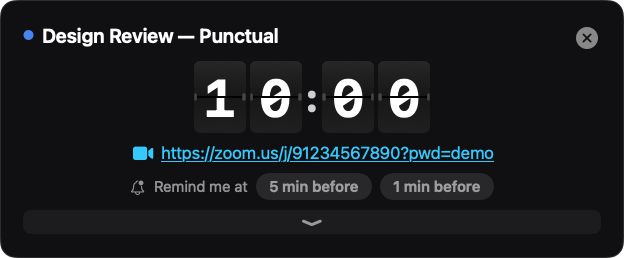
The departures board
An airport-style split-flap clock, flipping every second. One click joins the call.
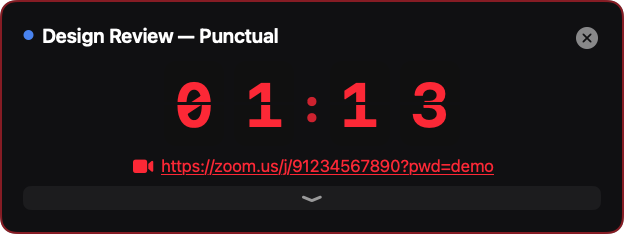
Running late? You'll know.
Past the start time everything turns red and counts up. No ambiguity.
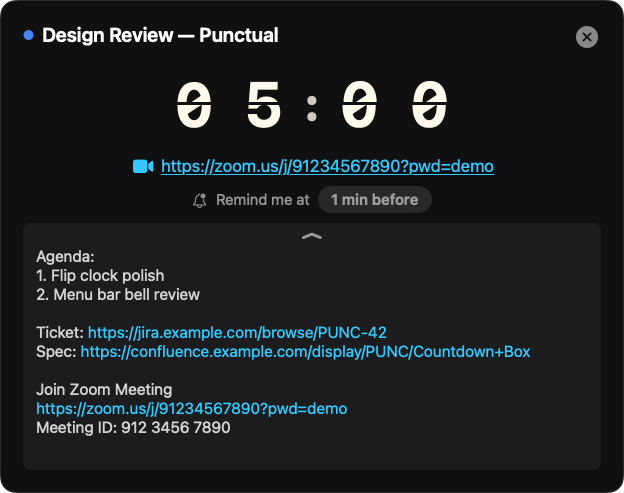
The agenda, one flip away
Pull down the drawer for full meeting notes with live links — Jira, Confluence, docs — with the invite boilerplate stripped out.
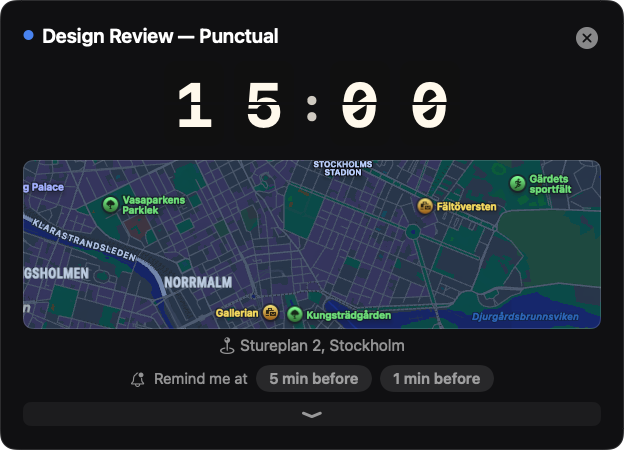
Know where you're going
In-person meeting? Punctual shows a map and the address from the invite, right beside the countdown.
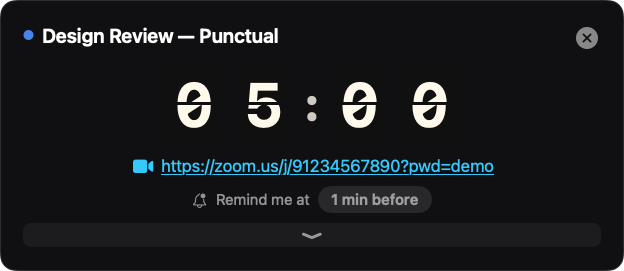
Your clock, your style
Split-Flap, retro Flip Clock, or Minimal digits — in three sizes.
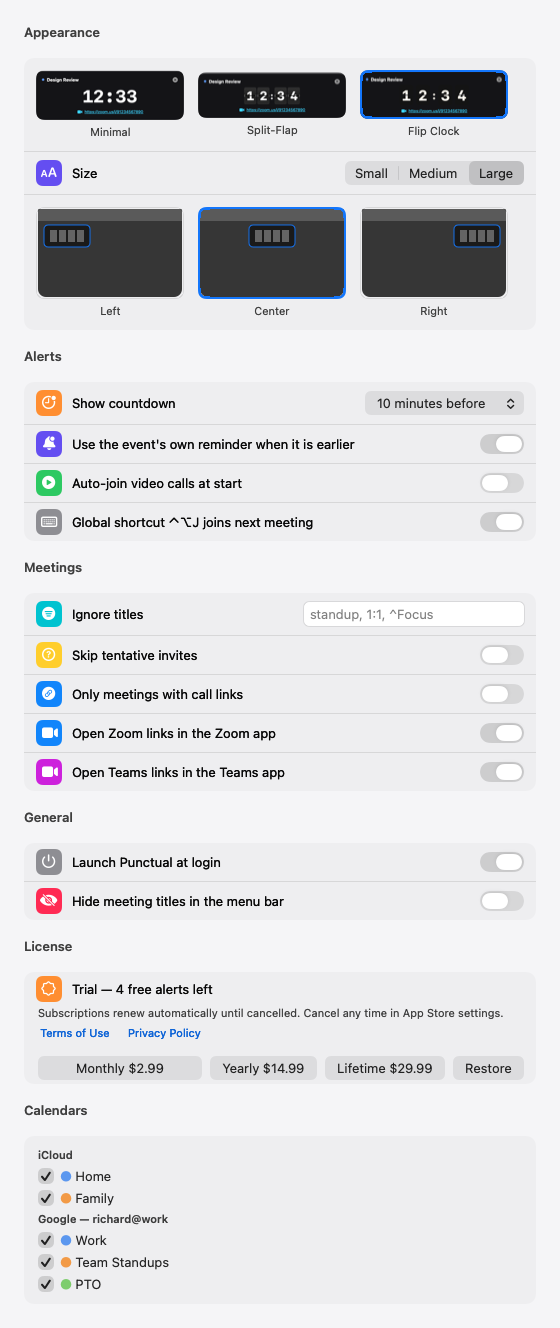
Make it yours
Pick your clock from live previews, place the countdown where you want it, filter out the noise, and snooze on your terms.
Small app. Sharp edges.
Every major meeting service
Zoom, Microsoft Teams, Google Meet, Webex, Slack Huddles, FaceTime, RingCentral, GoTo, and Discord — found in the invite even when Outlook wraps the links.
Where you're headed
In-person meetings show a map and the address straight from the invite, so you know where you are going at a glance.
Join from anywhere
⌃⌥J joins your next meeting from any app. Zoom and Teams links can open directly in their native apps.
Your calendars, your colours
Works with every calendar your Mac knows — iCloud, Google, Microsoft 365 — with per-calendar selection and calendar colours throughout.
Tomorrow at a glance
In the evening the menu already shows tomorrow's schedule under a date header, quietly dimmed until midnight.
Private by design
Punctual has no accounts, no analytics, no servers. Your calendar never leaves your Mac.
Pricing
Free to download, with a run of free alerts so you can see whether it actually changes anything. Then pick whichever suits you.
Monthly
Renews monthly. Cancel any time in App Store settings.
Yearly
Renews yearly. Works out under $1.25 a month.
Lifetime
One payment. No subscription, no renewal, yours for good.
One purchase covers Mac, and iPhone and iPad when the companion app ships — universal purchase, same Apple ID.
Questions
Which calendars does Punctual see?
Every calendar your Mac knows about. Add Google or Microsoft 365 accounts in System Settings → Internet Accounts with Calendars enabled, then choose which calendars count in Punctual's Settings.
Does Punctual use my location?
No. It never asks for location access and holds no location entitlement. The map for an in-person meeting is looked up from the address written in the invite.
Does it send my calendar anywhere?
No. Calendar data is read locally through Apple's EventKit and never leaves your Mac. The app has no accounts, no analytics, no telemetry and no servers. Read the privacy policy for the detail.
The countdown box didn't appear.
Check that calendar access is granted in System Settings → Privacy & Security → Calendars, and that the meeting's calendar is ticked in Punctual → Settings.
What does it run on?
macOS 14 or later, on Apple Silicon.
Who makes this

Richard Forss
Punctual is built and maintained by Richard Forss, a technology executive who has spent three decades building trading platforms, risk systems and market infrastructure — and who was late to enough meetings to write an app about it.